
Stop being the warranty department after closing.
Give every homeowner one simple warranty link. After Closing Pro’s AI collects photos, asks the right questions, and tells them what’s actually covered vs. normal maintenance — deflecting non-warranty calls before they ever reach you. Real issues become clean tickets, routed to the right trade and scheduled automatically.
Built by a homebuilder who got tired of managing warranty through texts, calls, memory, and scattered trade messages.
Built from the problems builders actually deal with
Warranty work is not just the repair.
It is the 9pm homeowner text. The missing photo. The trade asking for the address again. The homeowner calling about a GFCI reset. The “I thought you were handling that” conversation. The forgotten punch item that turns into a dispute three months later.
After Closing Pro gives every homeowner one place to submit warranty issues, then turns messy requests into clean, documented tickets your team and trades can actually act on.
More than intake — it decides and schedules for you
The two things that actually save builders hours every week.
Covered vs. not — decided automatically
The AI checks every issue against your warranty terms and gently tells homeowners when something is normal maintenance — stopping non-warranty calls before they reach you. It never hard-denies, and you always make the final call with one click.
Scheduled without you in the middle
Assign a trade and the loop runs itself: the trade proposes times, the homeowner confirms, and the ticket flips to Scheduled — with a 24-hour reminder to both so nobody forgets. No phone tag, no chasing.
See It In Action
Watch the full flow — from homeowner submission to clean builder ticket.
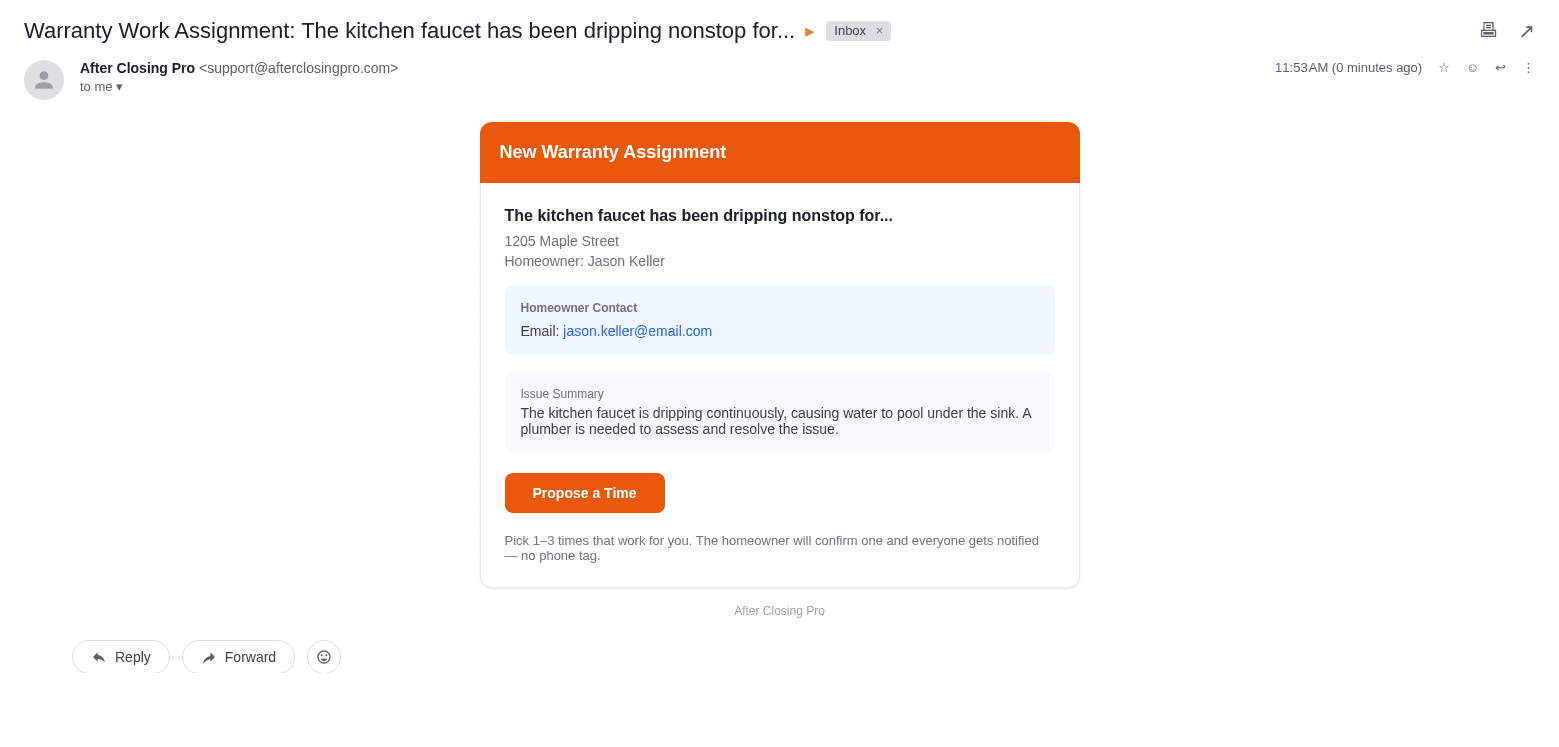
Warranty Assignment Email Sent to Trade
When you assign a trade, they get everything they need in one email.
This is what warranty really looks like
- 1Homeowner texts you at night: "The outlet stopped working."
- 2You ask for photos, but they send one blurry picture.
- 3The trade wants the lot number, address, and background again.
- 4You send someone out and it ends up being maintenance, not warranty.
- 5A small issue gets forgotten because it lived in a text thread.
- 6Months later, nobody has a clean record of what happened.
That is the mess After Closing Pro is built to clean up.
How It Works
Three simple steps to warranty sanity
Homeowner Submits Issue
Give homeowners a simple link at closing. They describe the issue, upload photos, and our AI takes it from there.
AI Triages the Issue
AI asks smart follow-up questions, suggests safe troubleshooting, and flags whether it’s actually covered — filtering out maintenance before it hits your phone.
You Get a Clean Ticket
Real issues become organized tickets with AI summaries, trade recommendations, and urgency ratings. Assign a trade in one click — and scheduling runs itself from there.
Example: Kitchen outlet not working
See exactly how After Closing Pro handles a real warranty request
“The outlet by the kitchen sink stopped working.”
“Have you checked the GFCI outlet nearby and pressed reset?”
The issue is documented and closed without bothering the builder or electrician.
After Closing Pro creates an electrical ticket with photos, homeowner answers, urgency, address, and trade recommendation.
Built for Builders
Warranty Coverage Triage
AI checks each issue against your warranty terms and softly guides homeowners on maintenance items — deflecting non-warranty calls. You can override any call in one click.
Hands-Off Scheduling
Trade proposes times, homeowner confirms, ticket flips to Scheduled — with 24-hour reminders to both. Reschedule, set a time, or cancel anytime.
AI Issue Triage
AI asks the right questions, classifies issues, and resolves simple problems before they become service calls.
Smart Ticket Management
Every issue is tracked from submission to sign-off. No more sticky notes, texts, or "I forgot about that."
Trade Routing
AI recommends the right trade. Assign in one click. Trades get email notifications with all the details.
Warranty Protection
Every message, photo, and decision is documented. Full audit trail for warranty disputes.
Instant Escalation
Emergency issues are flagged immediately. Gas leaks, water damage, electrical issues — you know instantly.
Homeowner Sign-Off
Homeowners confirm when issues are resolved. Clean records that protect you.
Simple Pricing
Simple plans that grow with you. 30-day money-back guarantee.
Starter
- Up to 15 active warranty homes
- AI-powered issue triage
- Homeowner intake portal
- Ticket management
- Trade assignment & email notifications
- 2 team members
Growth
- Up to 50 active warranty homes
- Everything in Starter
- 5 team members
- Priority email support
Pro
- Unlimited warranty homes
- Everything in Growth
- Unlimited team members
- Priority email support
Give homeowners a better warranty process without becoming their 24/7 help desk.
After Closing Pro helps builders collect better information, prevent unnecessary service calls, organize real warranty issues, and protect themselves with clean documentation.